Searching for a first time in a fancy cafe template can lead to very different tools. One might arrange clips you provide. Another might alter a face in existing footage. A third might generate a new cafe scene from a photograph.
Before choosing, check what the tool actually creates. The word “template” alone does not tell you whether you need to film anything, whether the action is generated, or how much of the result you can change.
This guide compares those workflows. It is not a hands-on ranking of individual apps, and it does not verify that a particular CapCut template is currently available.
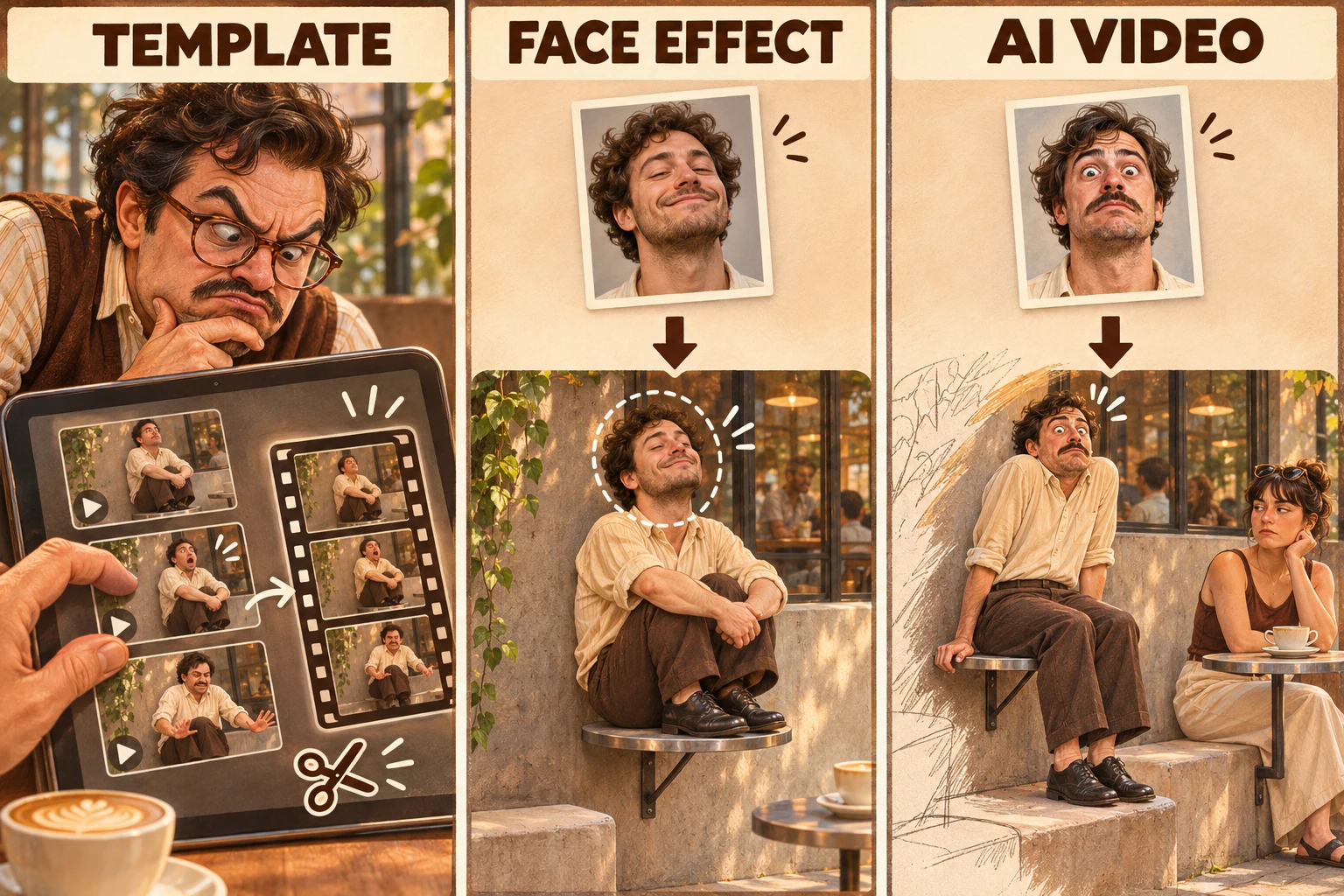
Three conceptual workflows: arrange existing clips, change a face, or generate a new scene. AI-generated editorial illustration, not screenshots or tested product results.
The three workflows at a glance
| Method | What you usually provide | What it does | What to inspect |
|---|---|---|---|
| Editing template | Your own clips or images | Arranges material using a preset structure | Required slots, timing, and whether it creates any new motion |
| Face effect or replacement | A photo or camera input, depending on the tool | Changes a face or appearance in footage | Supported input, tracking, and how much of the original shot remains |
| AI video generation | A photo, prompt, or both, depending on the tool | Synthesizes a new moving scene | Identity consistency, furniture, actions, and the final reveal |
Some products combine these approaches. An “AI template” may be a preset that controls a video model rather than a conventional editing timeline. Read the workflow and inspect the output before relying on the label.
When an editing template makes sense
An editing template is useful when you already have the performance you want. You can supply footage of a confused customer, a second person sitting correctly, and the reaction, then use an editor to arrange the sequence.
Its practical advantage is control over the source action: if you filmed a pause or a glance, that moment exists in your footage. The template helps present it.
However, a preset with image slots should not be assumed to animate a person sitting down or climbing off a table. Check whether it merely moves still images, uses an effect, or actually invokes a generation feature.
For a physical recreation, use a staged set with furniture intended to support a seated person. The misunderstanding can be performed without putting weight on a real cafe table.
What a face effect changes
A face effect can change who appears to be in a shot while preserving much of its underlying action. That can suit a recognizable scene where the timing already works.
Inspect the moments when the character turns, changes expression, or moves behind an object. A good-looking still preview does not establish that the whole clip will look convincing.
Also check what the tool means by replacement. Does it modify an existing clip, generate a new character inspired by the input, or do something else? The result and your control over it will depend on that distinction.
What an AI video generator changes
A generator can create motion and surroundings that were not filmed in your input photo. That makes it a possible route for someone who has a picture but no cafe footage.
The trade-off is that the action itself needs review. In this particular joke, facial resemblance is only one requirement. A useful result also needs:
- A table that can plausibly be mistaken for a seat.
- A visible bench or correct seating position.
- A second customer who demonstrates how the furniture works.
- A first character who notices and responds.
If those actions become unclear, the video may look polished while losing the joke. Watch the entire result before deciding whether it works.
Is there a CapCut template for the fancy cafe trend?
We have not verified a working CapCut template link for this guide. Search results or tutorial titles alone are not enough to establish that a template exists, works in your region, or produces the advertised scene.
If you find a candidate, open its actual template page and check what it asks you to supply. A request for several video clips is a different workflow from a single-photo generation tool.
Avoid assuming that the word “free” covers the complete export. Confirm the current price, watermark policy, output specifications, and any generation limits in the tool itself.
Which method should you choose?
Choose an editing workflow if you already have suitable footage and want control over cuts and timing. Consider a face effect if you want to alter the appearance in a supported shot. Consider generation if your starting material is a photograph and you need the scene's motion created for you.
Before paying, look for an actual result made with the same workflow, rather than only a creator's reference video. Check the full clip, the final cost, and what happens if generation fails. Those details matter more than the label on the button.
Where does Fancy Cafe AI fit?
Fancy Cafe AI is being developed as a guided photo-to-video experience for this scene. Generation is not available yet. Check the homepage for current availability; confirmed pricing, output specifications, and processing expectations should be available before purchase.
To plan the creative side, read our fancy cafe meme explanation and choose an original caption for your version.